
Available on iOS & Android
Take Control
of your
Golf Simulator
Ditch the button box. SimBandit turns your phone, tablet, or smart watch into an fully configurable golf simulator controller.
GSPro support More sims coming soon
Personalized Configurable controls
Free To download

The Button Box Problem
Fixed buttons.
Fixed limits.
Traditional simulator button boxes are clunky, cost big money and give you a handful of static buttons that never quite match what you actually need. When your needs evolve, your controller can’t.
- Expensive hardware that collects dust between sessions
- Fixed button count — limited configurability
- Walk off the mat every time you need to hit a button
- Locked to one layout — no per-simulator profiles
The killer Watch app
Never leave the mat.
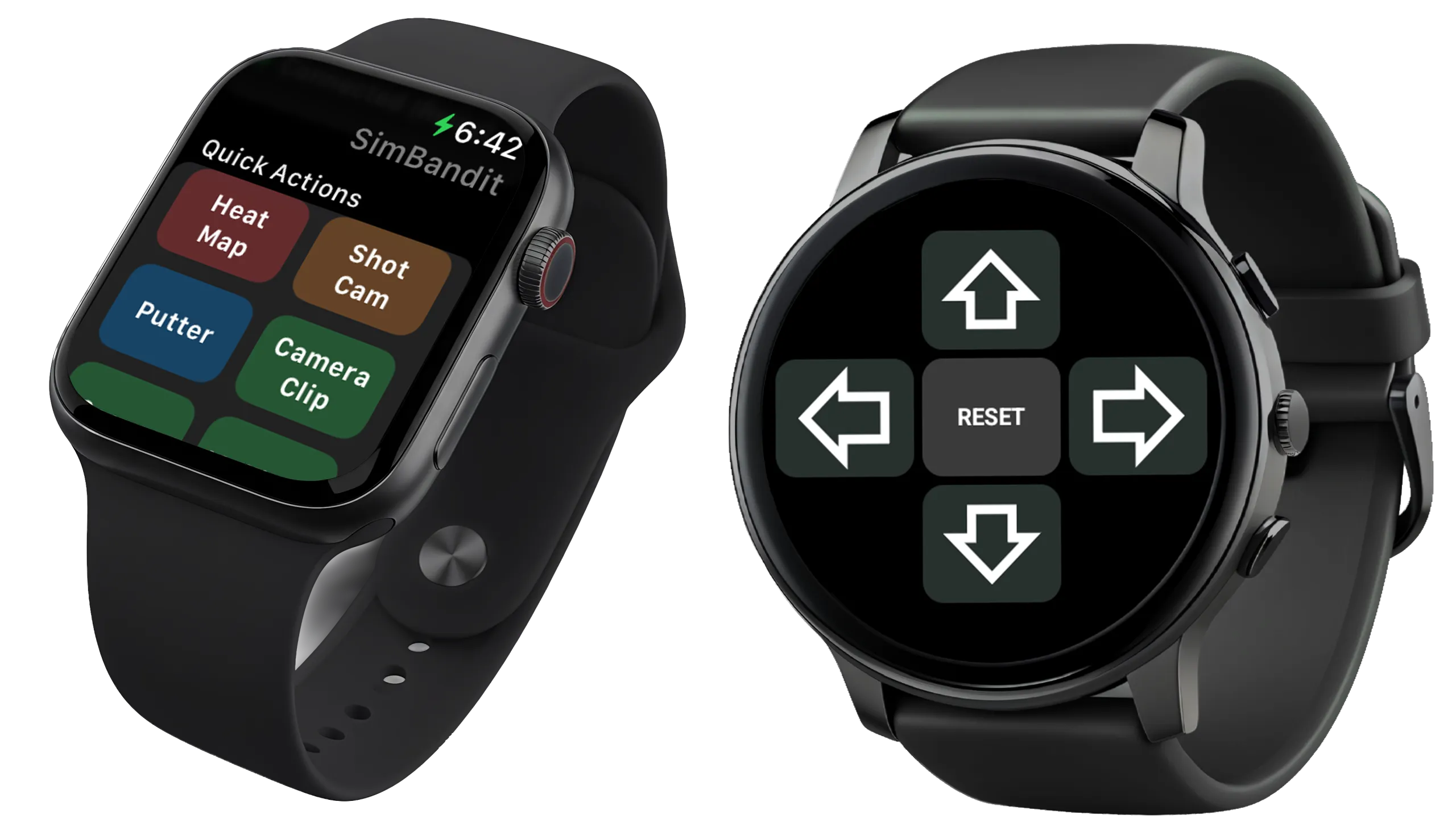
Get ready for a truly immersive experience with the SimBandit Watch app. Raise your wrist. Tap. You’re back in the zone. It’s the kind of feature that sounds like a nice-to-have until you’ve used it — then you can’t imagine ever playing without it.
- Stay in the zone No breaking stance, no walking to a device, no interrupting your rhythm.
- Full simulator control from your wrist Camera flyover, aim positioning, club changes — all mapped to your watch.
- Automatic relay commands direct to your PC WatchOS sends commands through your paired iPhone or directly with your PC (Android).
- Fly to your heart’s content You’ll experience the wonder of Free Fly in GSPro and Scout in TGC 2019, using simple wrist gestures.
Features
Everything your button box
could do and more.
SimBandit is built for serious sim golfers who want total control without compromising the experience.
Unlimited Buttons
Create as many controls as you need, organized for your device and mapped to your favorite simulator.
Works With Most Simulators*
SimBandit has keyboard mappings for the most popular simulators* including GSPro, TGC2019, and FSX Play… with more on the way!
Any Keyboard Shortcut
Designed to accommodate all your favorite shortcuts . You decide the layout, priority and number of hotkeys.
Profile Switching
Own more than one simulator? Switch in seconds — your controls reconfigure automatically.
Local Network — No Cloud
All communication stays on your local WiFi. Fast, private, and works even without internet access.
Wrist Control
Smart Watch integration means your favorite controls are a glance and a tap away.
Device Ecosystem
One app.
Multiple control surfaces.
SimBandit runs on the devices you already have. No new hardware required.
📱
Phone
iPhone & Android
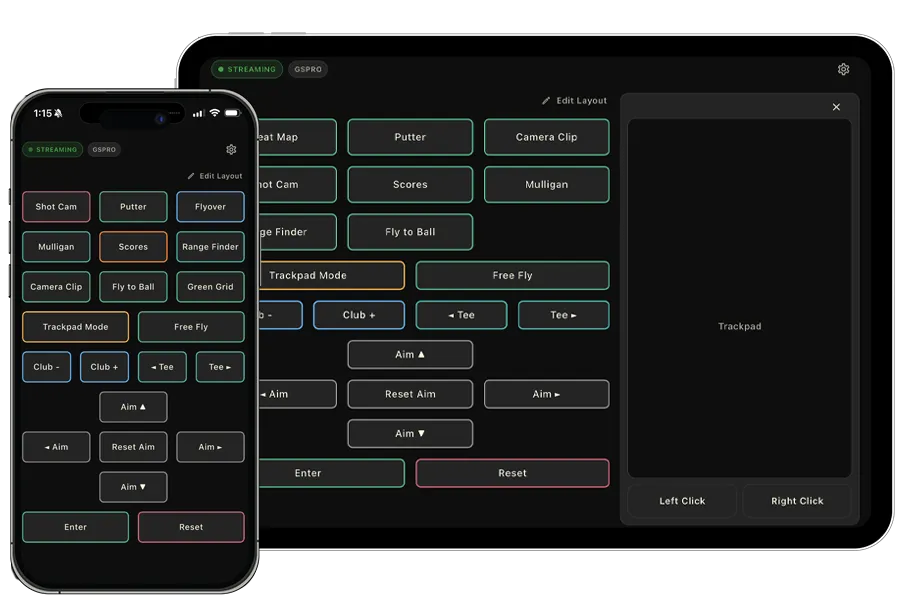
Trigger controls instantly from your hip pocket. Perfect for players who have their phone readily available.
- Full profile builder with drag-and-drop layout
- Haptic feedback on every tap
- Large tap targets
- Connects to your PC in seconds via WiFi
- Manage the watch application for a premium multi-device controller
📟
Tablet
iPad & Android Tablet
Mount it beside your mat for a premium button box experience with a full-sized, high-density control surface.
- Larger grid — more controls at once
- Mount-friendly landscape layout
- Ideal as a permanent sim room fixture
- Same profile system as phone — switch instantly
- Trackpad mode ensures you’ll never have to visit your PC mid-round again.
⌚
Watch
Apple & Android Watch
The game-changer. Controls on your wrist mean you never have to leave the immersive experience — not even for a second.
- Raise wrist, tap, done — sub-second interaction
- Syncs controls from your phone automatically
- Configure a customized layout separate from the phone or tablet
- Relays commands over WiFi or through your phone connection
Compatibility
Designed to work
with most simulators.
Unlike other button box solutions, SimBandit is designed to work with GSPro* and other popular simulators right out of the box.
GSPro
TGC 2019*
Awesome Golf*
FSX Play*
More to come…
Requires the free SimBandit Windows companion app running on your simulator PC.
*GSPro is fully supported, others are considered beta.
Free Download
Take Control.
Free to download for Android and Apple phones & tablets. Watch app requires a pro subscription.